Help
Overview
Airgentic Help
The Edit Prompts screen lists all prompt files for your service, grouped into three sections.
Prompt Sections
Agent Prompts
System prompts for specialist agents. Each agent prompt defines a specific agent's personality, instructions, and behaviour. When you add an agent prompt here, it becomes available to assign to an agent on the Configure Agents screen.
Prompt Components
Reusable building blocks that can be inserted into agent prompts using the {{prompt:Component Name}} substitution syntax. Components like Identity, Tone, Performance Style, Guardrails, and Output Format keep core instructions consistent across all agents without duplication.
See Prompt Components for what each standard component does, including the text and voice variants of Performance Style.
Other Prompts
Any prompt files that don't fit the agent or component categories, including legacy prompts.
Global vs Service-Specific Prompts
Prompts marked as inherited (shown with a greyed-out delete icon) come from the global prompt library and apply to all services by default. Editing an inherited prompt creates a service-specific copy that overrides the global version for this service only. Inherited prompts cannot be deleted.
Service-specific prompts (with an active delete icon) exist only for this service and can be deleted permanently.
Adding a Prompt
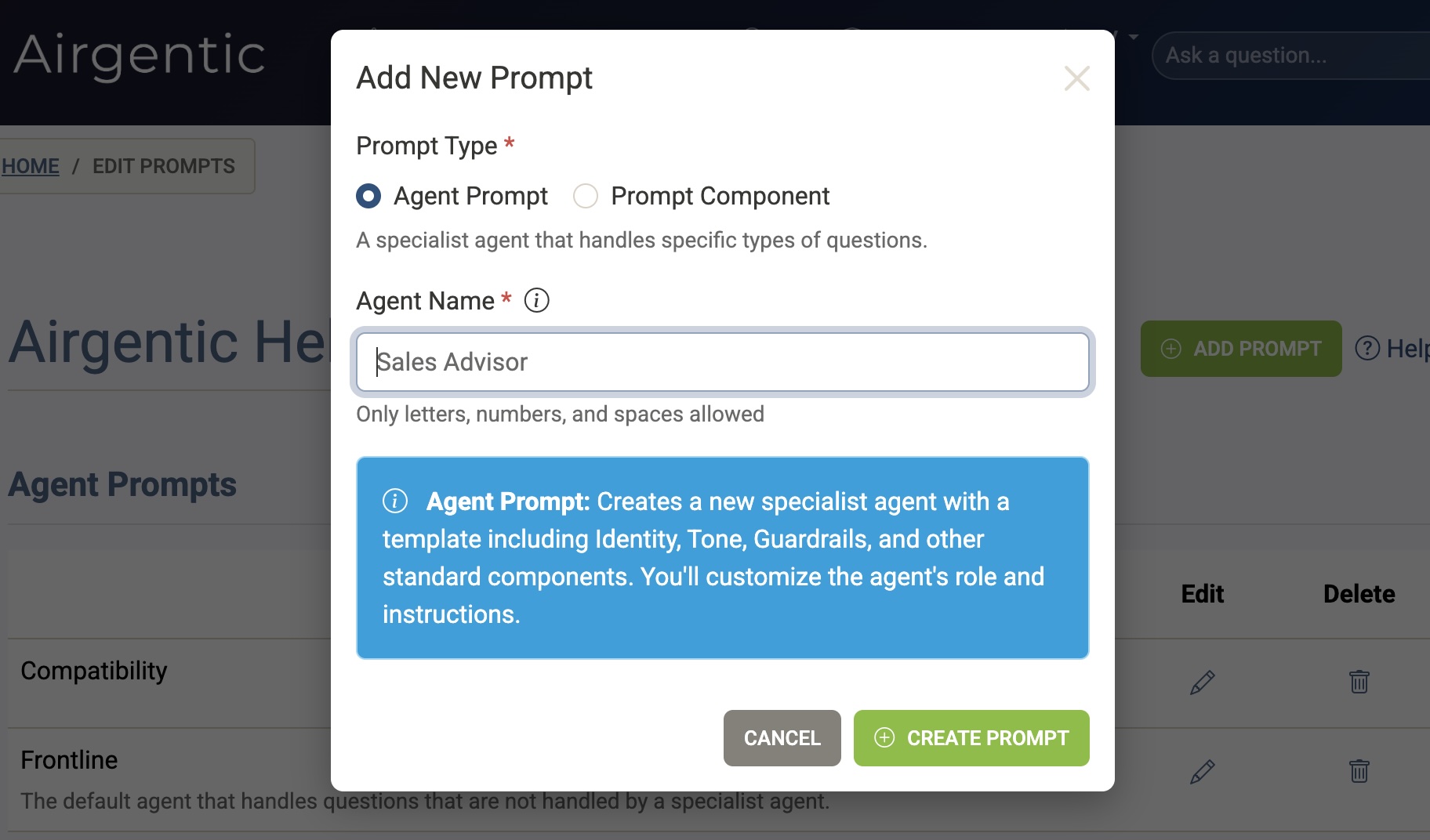
Click Add Prompt and choose a type:
- Agent Prompt — Creates a new prompt pre-populated with a standard structure (Identity, Tone, Guardrails, Output Format, Information Retrieval). Tone already includes Performance Style. Use this when creating a new specialist agent.
- Prompt Component — Creates a reusable component that can be referenced by other prompts using
{{prompt:Name}}.
Campaign and country journeys are not a prompt type. Put that text on a playbook; it is appended as journey instructions after the agent prompt.
Enter a name using letters, numbers, and spaces only. The new prompt file appears in the list immediately after creation.
Deleting a Prompt
Click the trash icon on any service-specific prompt. You will be asked to confirm — deletion is permanent and cannot be undone.
Legacy Prompt Warning
If your service uses the older Question Answer prompt format, a warning banner appears explaining that the new modular architecture (Agent Prompts + Prompt Components) will not be used until the legacy prompt is removed. The banner includes step-by-step migration instructions.
← Back to Agents & Prompts overview
See also: Playbooks — Personalise the AI agent from page, campaign, country, and visitor profile.